Web
LabAId
LabAId puts the things you look up during an electronics lab on your phone: a resistor color decoder, chip pinouts, circuit calculators, datasheets and short guides. It was also built to identify parts from a photo using Google's Gemini.

 Source code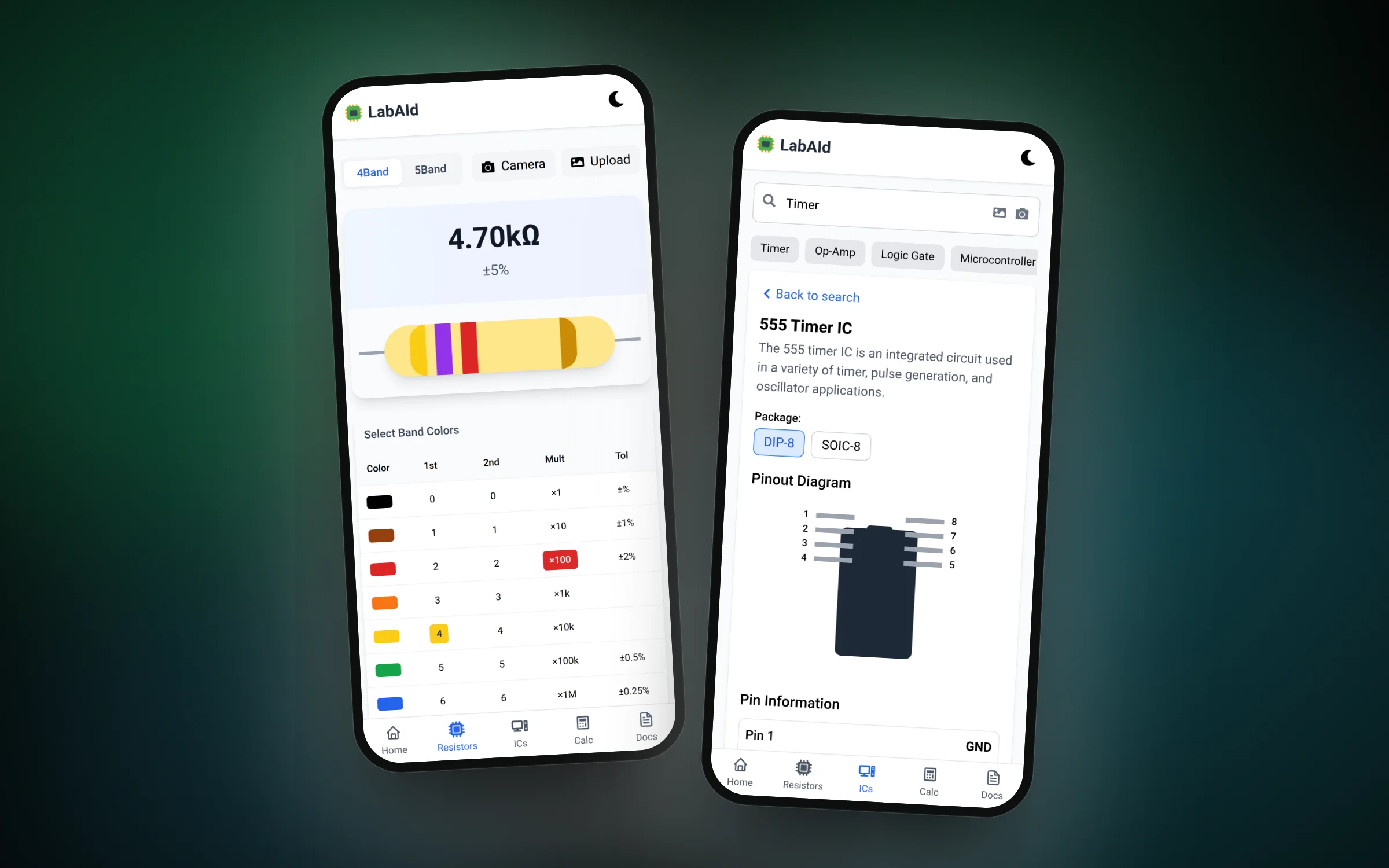
01 / 03Tap the color bands and read the resistor value
Overview
In an electronics lab you keep stopping to look something up: what a resistor's color bands mean, which pin on a 555 timer is the trigger, or what resistor an LED needs. LabAId gathers those answers in one app designed for a phone.
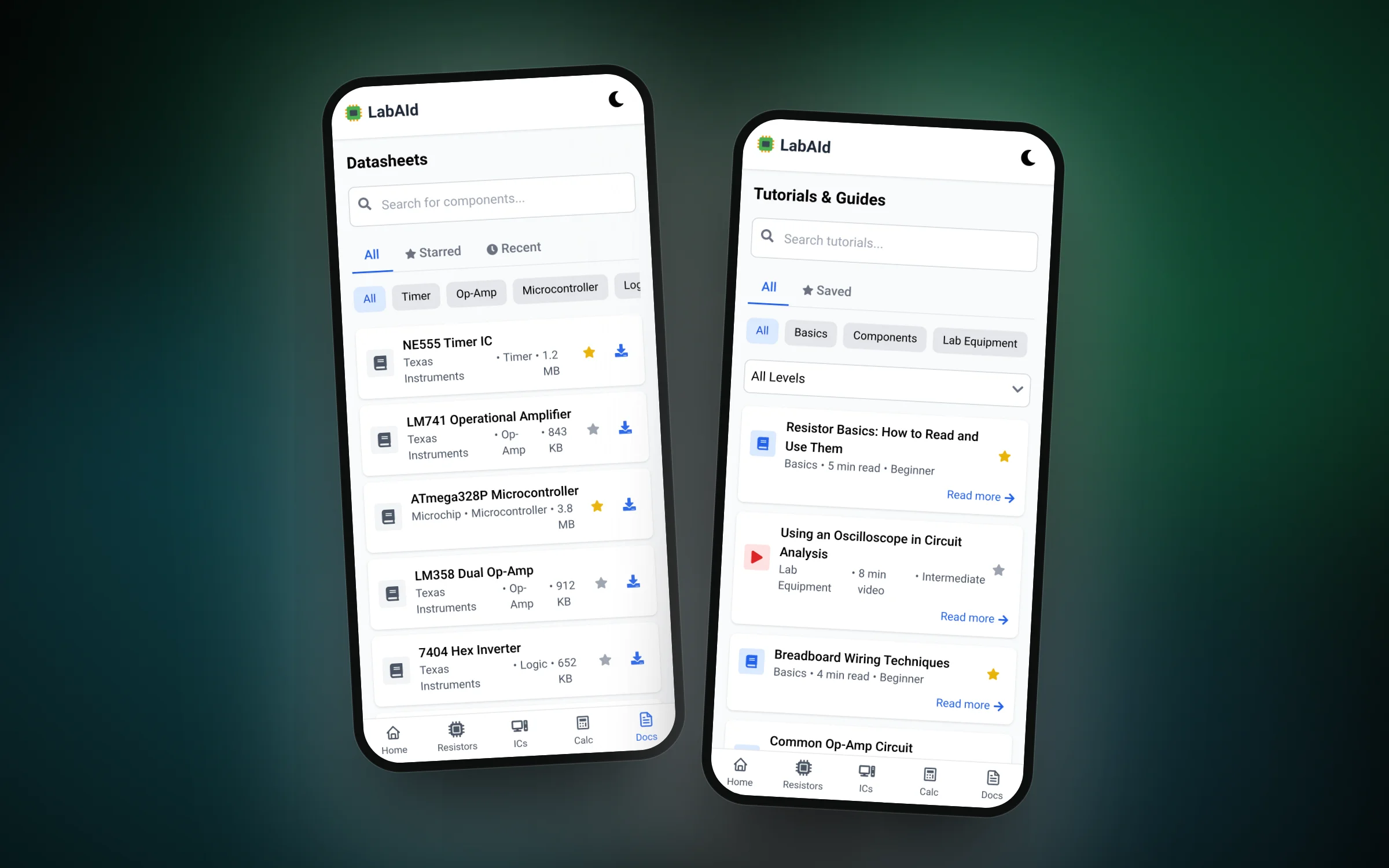
The resistor tool shows a live drawing of the resistor as you pick each band and prints the value and tolerance. The IC finder lists common chips with their packages, pinout diagrams and what every pin does. There are also calculators, a datasheet library and short tutorials.
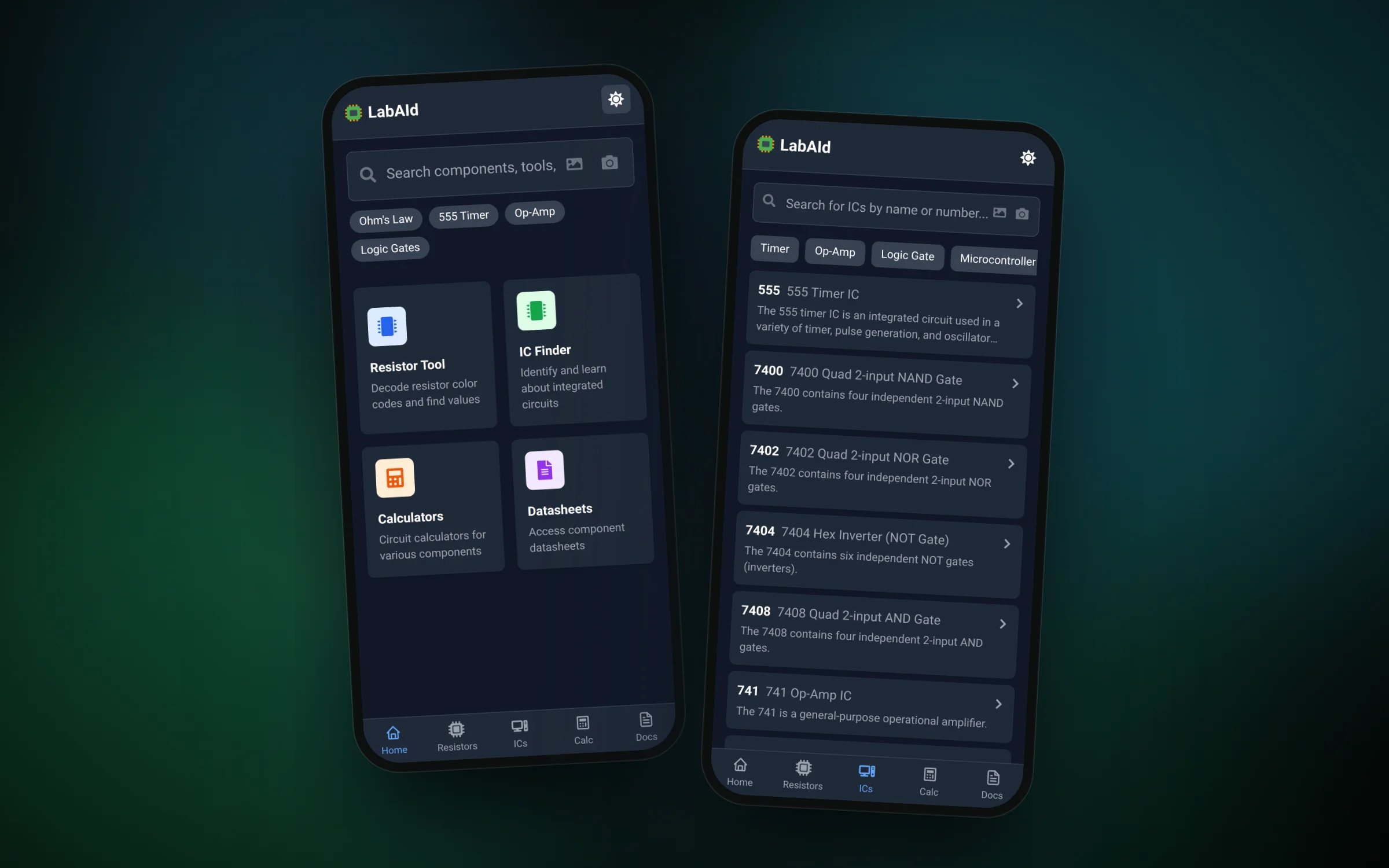
The search bar sends you straight to the right tool, and the camera and upload buttons were meant to let Gemini recognize a part or read a resistor from a photo.
Features
- Decode 4 and 5 band resistors by tapping colors, with a live preview
- Look up pinouts and pin roles for common ICs such as the 555, 741 and 74 series
- Filter chips by family, like timers, op-amps and logic gates
- Open datasheets by component type and star the ones you use
- Read short guides on multimeters, breadboards and op-amp circuits
- Switch to a dark theme for dim labs
Challenges
- Drawing the resistor so every band change shows up instantly and matches the value table
- Designing a bottom navigation layout that fits many tools on a small screen
- Turning free-text searches like "ne555" or "color code" into the right tool with simple keyword rules
- Sending camera photos to Gemini and turning its reply into a resistor value or part name