Developer tools
Markdown Kanban
Markdown Kanban opens any TODO.md as a board next to the editor. Headings become columns and checklist items become cards, and moving or ticking a card writes the change straight back into the Markdown file.

 Source code
The Markdown file stays the only source of truth, with no database or hidden board format.
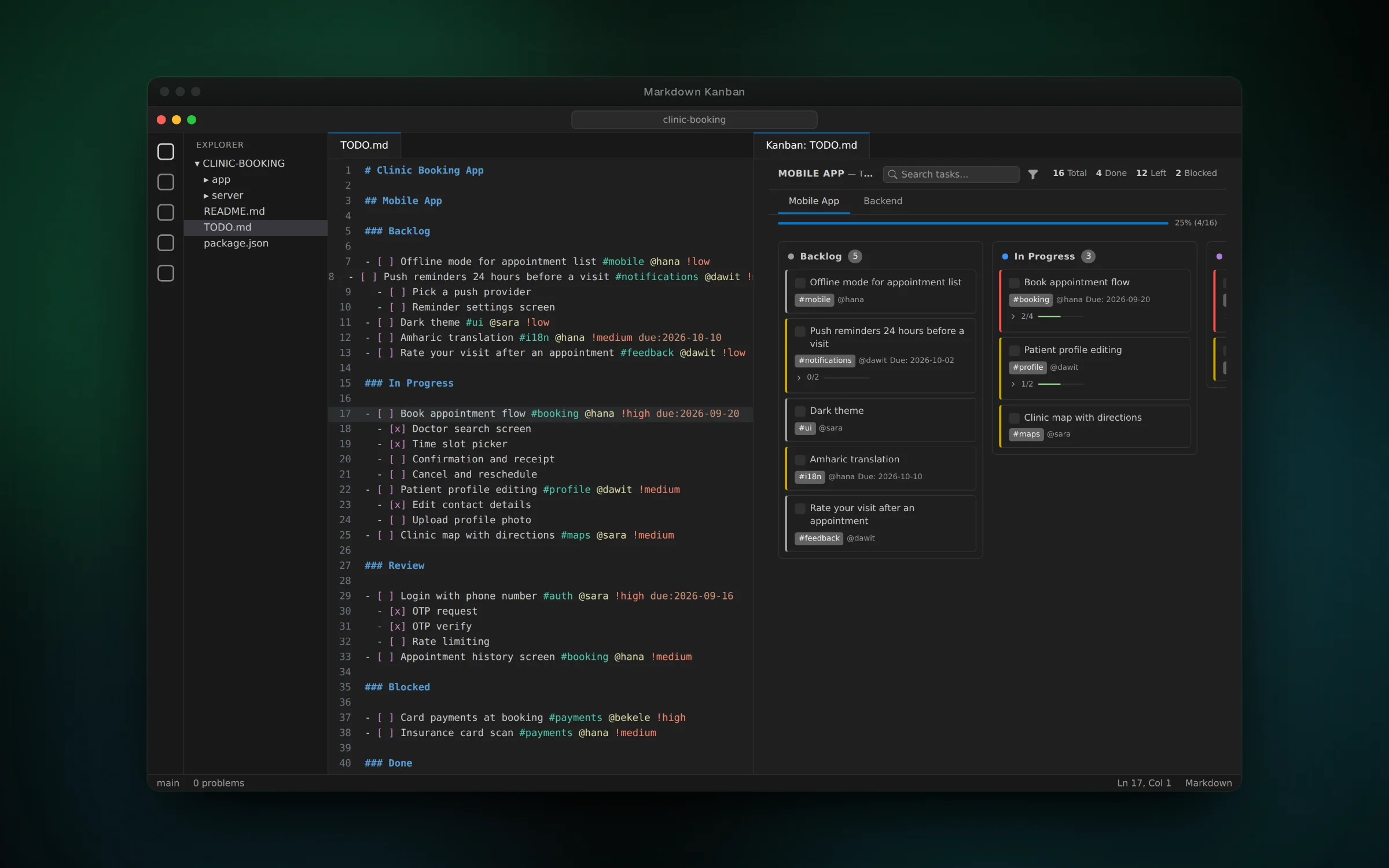
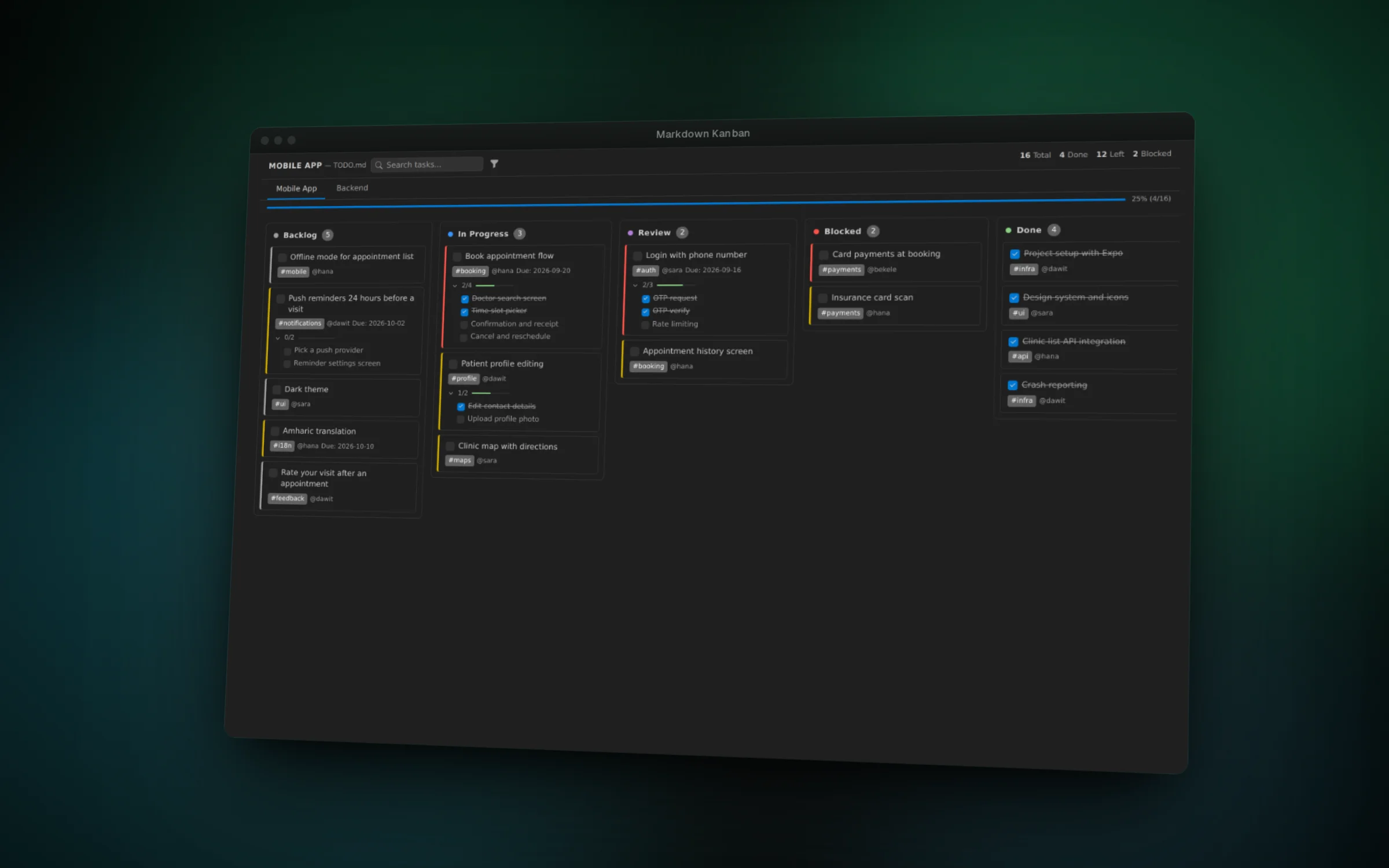
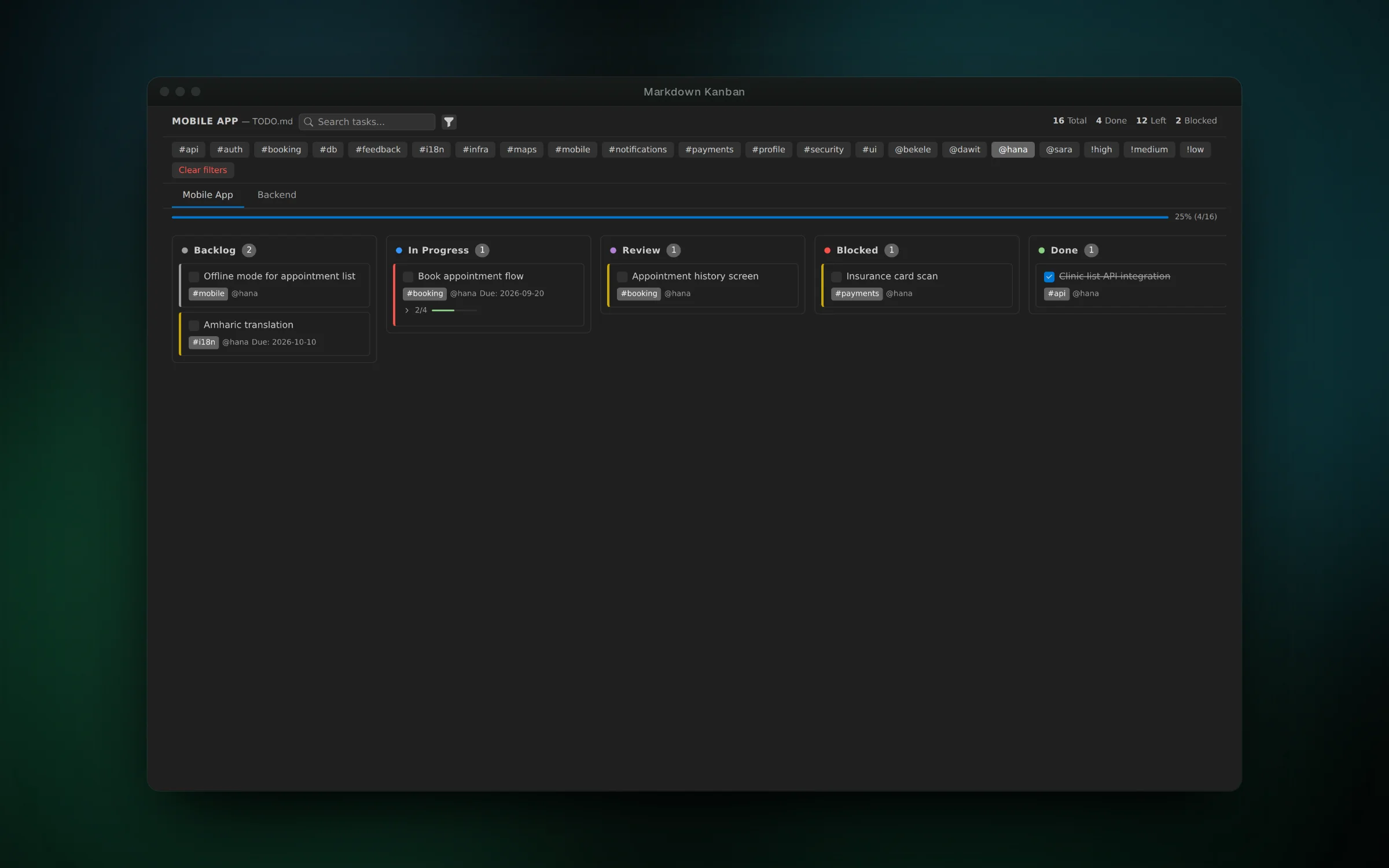
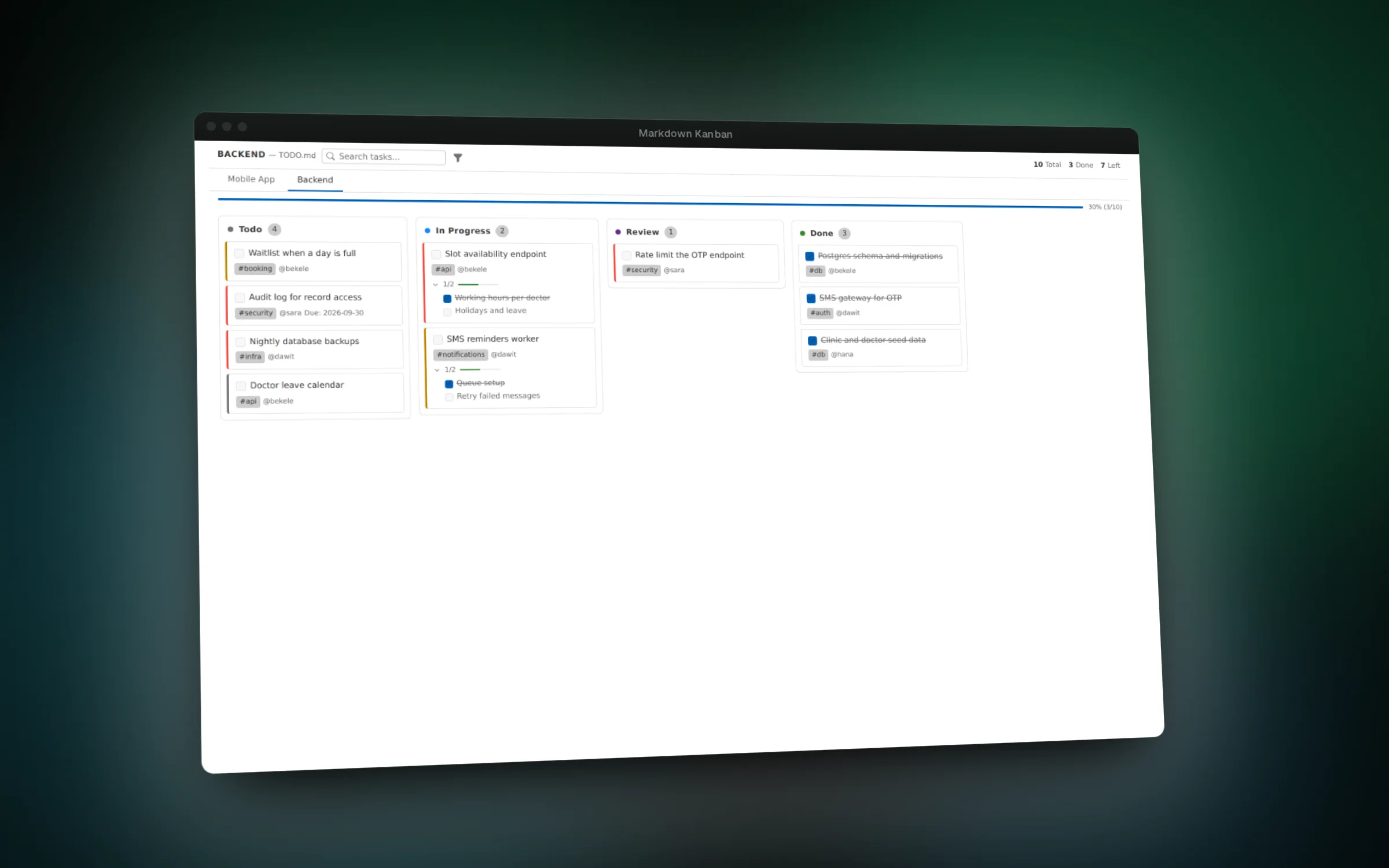
01 / 04A plain TODO.md on the left becomes a live Kanban board on the right
Overview
Many developers keep their tasks in a TODO.md next to the code, because it is simple and lives in git. The downside is that a long checklist is hard to scan. Markdown Kanban shows the same file as a board without changing how you write it.
Level 2 headings become boards, and level 3 headings such as Todo, In Progress, Review, Blocked or Done become columns. Checklist items become cards, indented items become subtasks with a progress bar, and tags, people, priorities and due dates are picked up from the text.
The board updates as you type in the editor, and changes on the board are written back to the file. Drag a card to Done and its checkbox gets ticked, click a title and the editor jumps to that line.
Features
- Open a Kanban board beside any Markdown task file from the editor title bar
- Drag cards between columns, with the Markdown rewritten to match
- See subtasks, tags, assignees, priorities and due dates on each card
- Search and filter by tag, person or priority, with progress per board
- Click a card title to jump to its line in the file
- Match any VS Code theme through its built-in color variables
Challenges
- Parsing free-form Markdown into boards, columns and nested tasks while tolerating messy or malformed files, covered by parser tests with fixtures
- Writing board edits back as small, precise text edits so the rest of the file, including comments and formatting, is left alone
- Keeping the editor and the webview in sync in both directions without update loops
- Styling the board only with VS Code theme variables so it looks native in light, dark and high contrast themes